

Toggle Gateway Services
You can toggle your entire Payment Gateway or Payout Service on or off with a single click, allowing you to pause collections or disbursements whenever your business operations require it.
- Access Service Settings:
Navigate to the Settings menu on the Fusion Dashboard and select Service Settings.
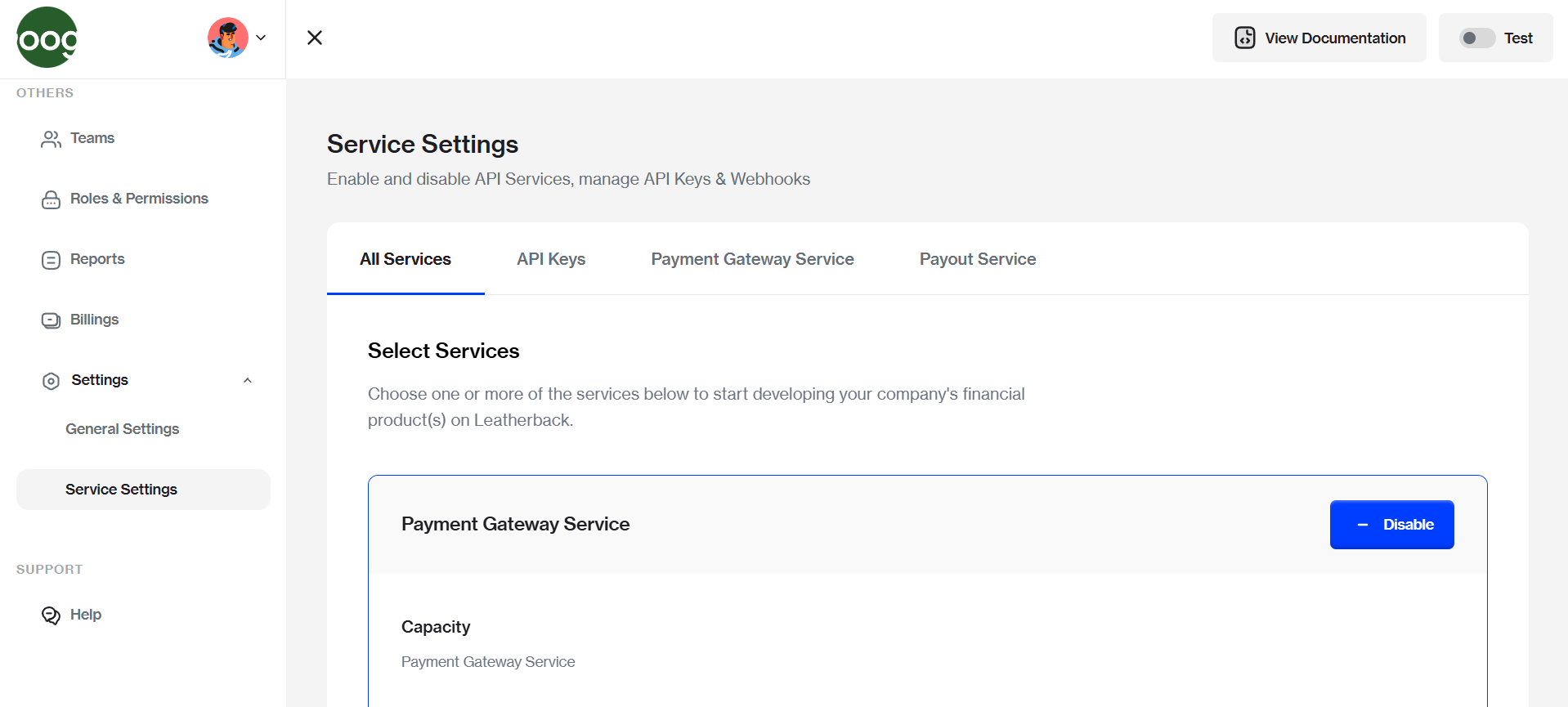
Click on Service Settings in the pulldown menu to view the management page for your active modules.
- Toggle Global Status
Locate the specific category or service you wish to modify.
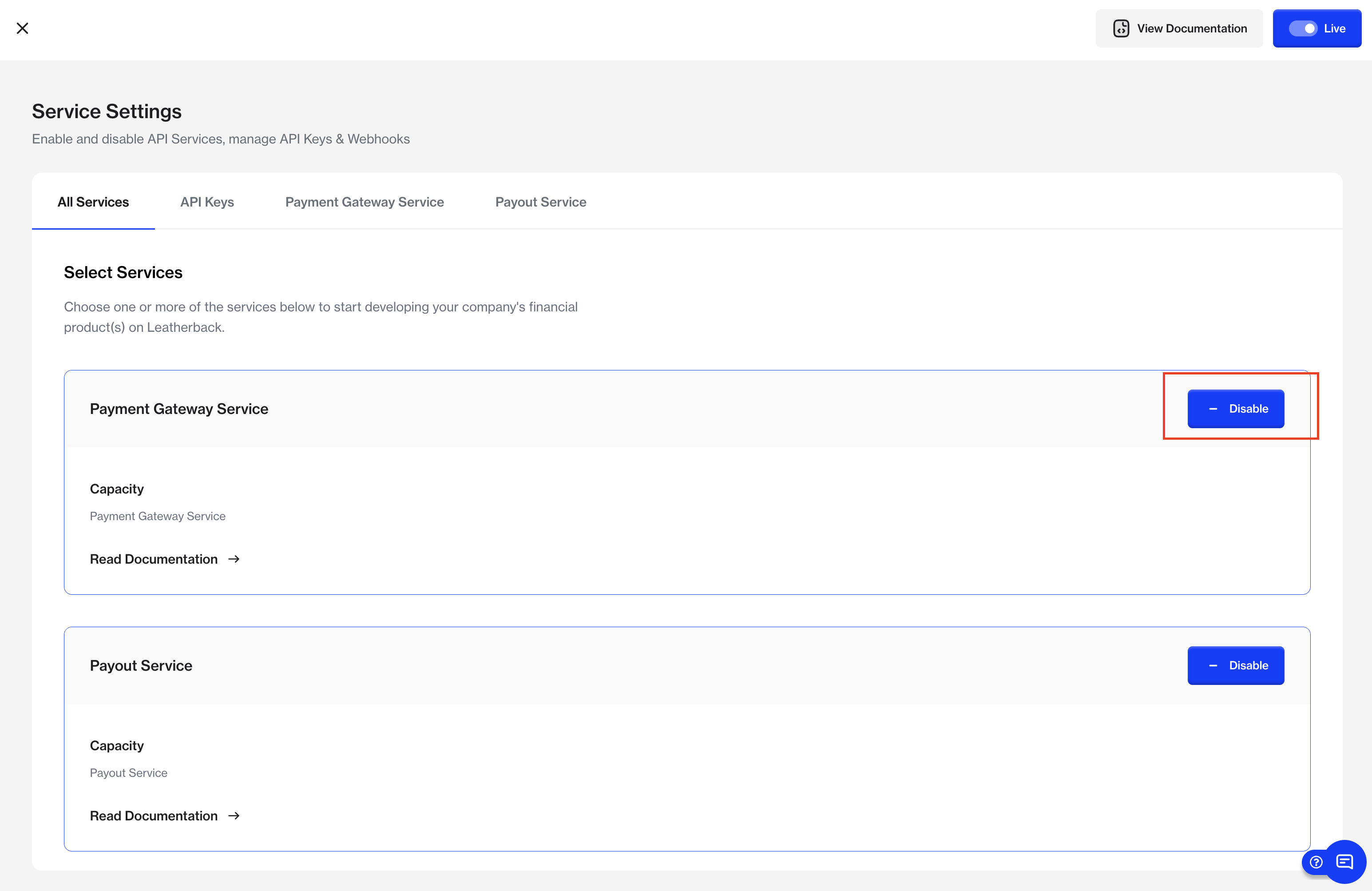
To Activate
Click the Enable button to restore functionality for both the category and its services.
To Deactivate
Click the Disable button. This action will simultaneously turn off the entire category and all services contained within it.
Updated 7 months ago
Did this page help you?