

Configure Currency Channels
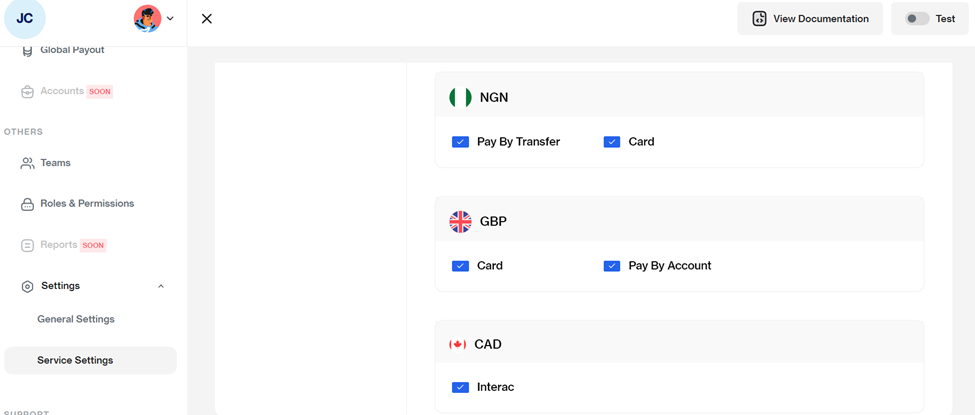
Leatherback gives you granular control over how your customers pay. You can customize which specific payment channels (such as Bank Transfer, Card, or Pay with Account) are available for each currency you support.
This ensures you can offer the most cost-effective and convenient payment methods based on the currency being used. Follow these steps to customize which payment methods (channels) are available for each of your active currencies:
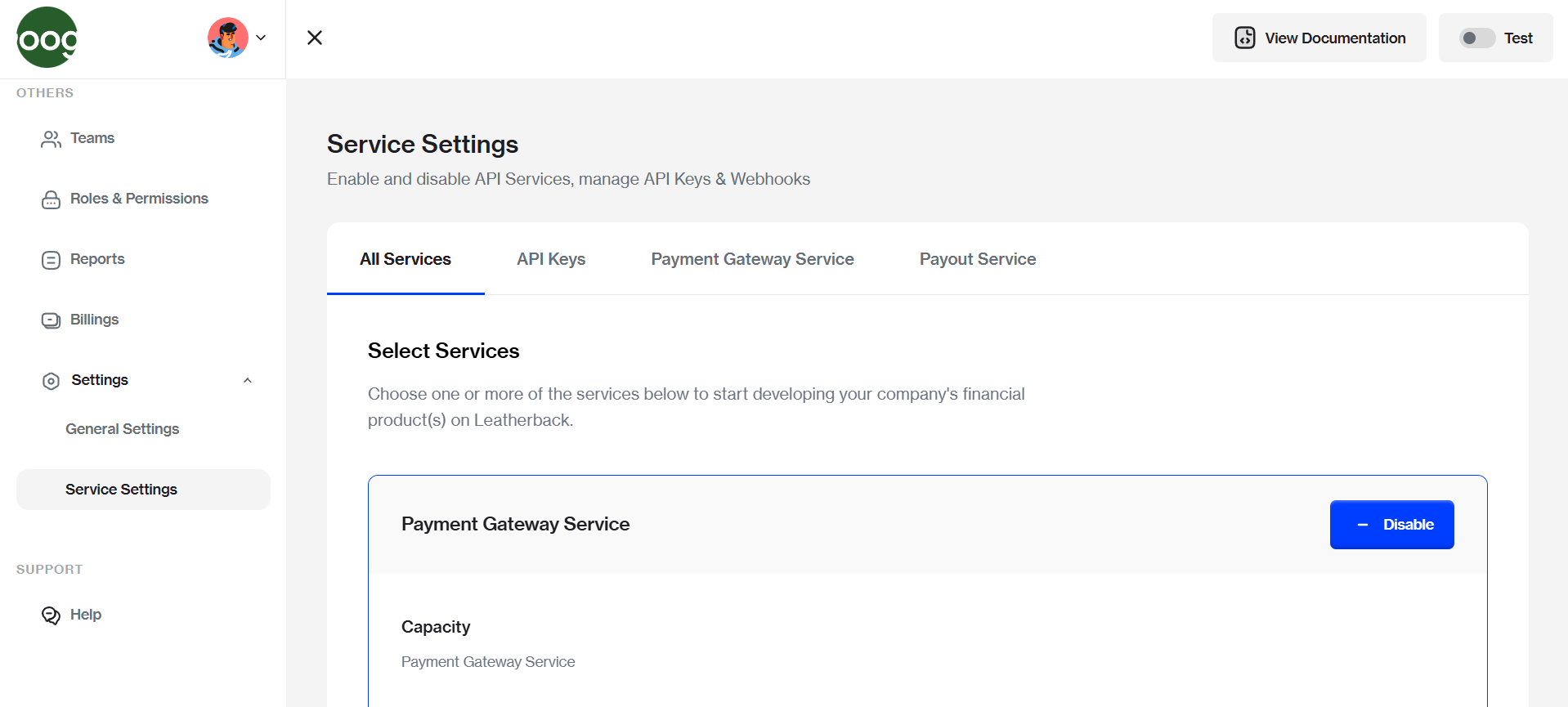
- Navigate to Service Settings
From the Fusion dashboard, go to Settings and select Service Settings.
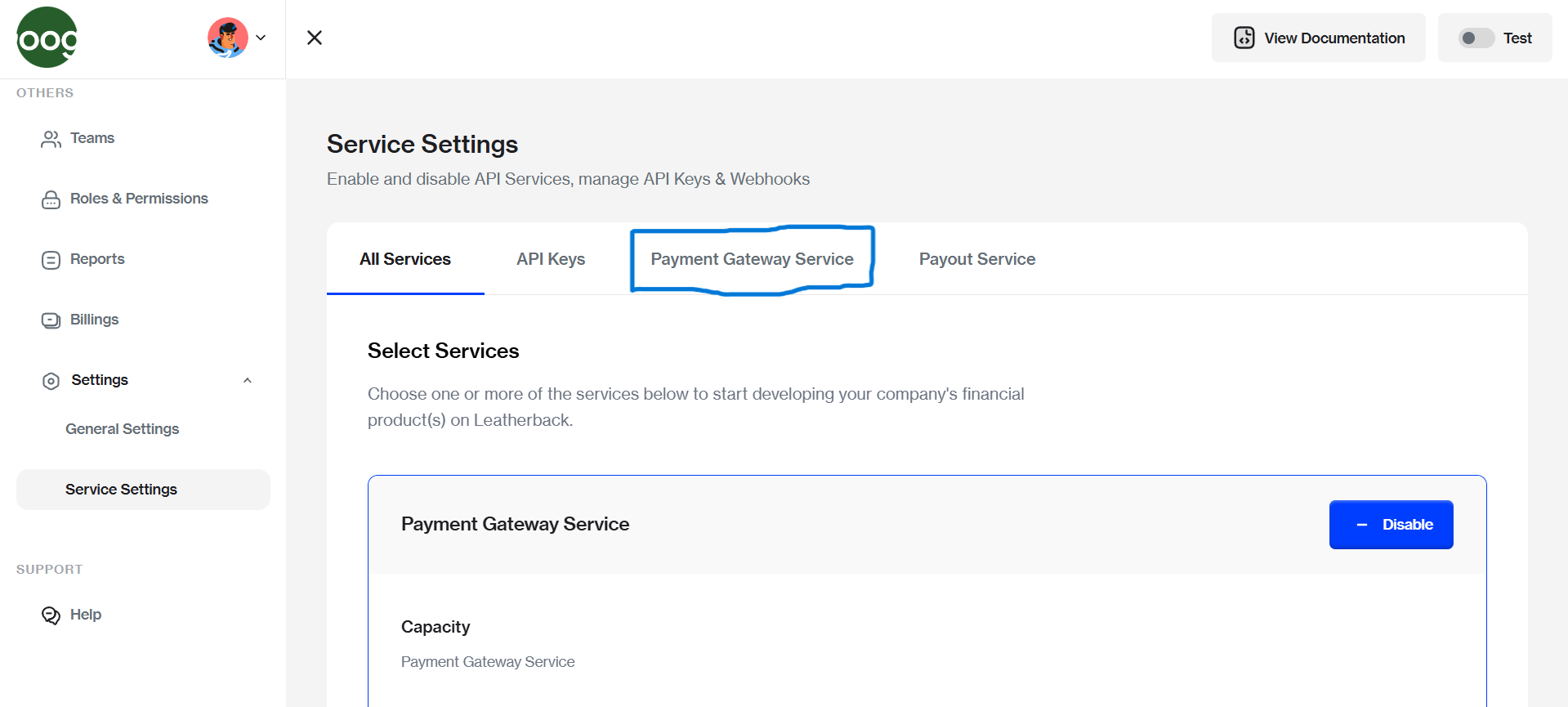
- Access Payment Gateway
Click on the Payment Gateway Service tab to view your gateway configurations.
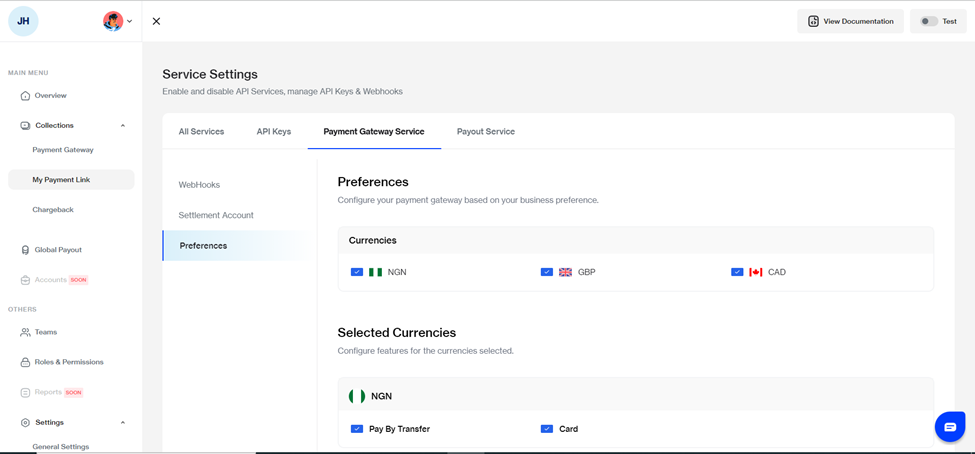
- Open Preferences and Select Currency
Select the Preferences tab to manage your active payment options. Click on the specific Currency (e.g., NGN, GBP, CAD) you wish to configure.
- Manage Channels
To Enable
Check the box next to your preferred payment channel (e.g., Bank Transfer, Card).
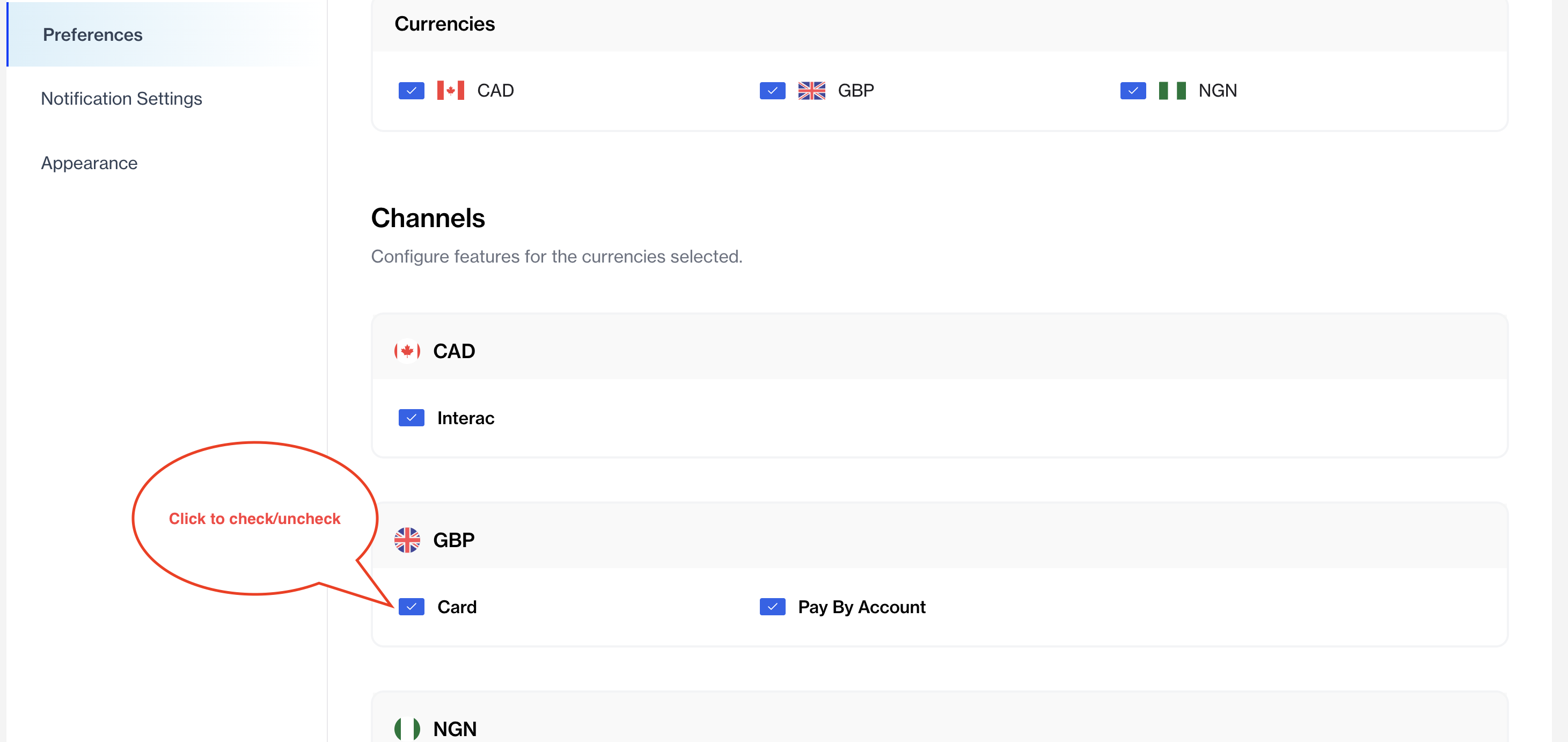
**To Disable **
Simply uncheck the box for any channel you no longer wish to offer for that specific currency.
Updated 7 months ago