

API Keys
Leatherback APIs are completely RESTful and all responses are returned in JSON. You can use the APIs in two modes, Test and Live, each with its own set of keys.
API Key Types
Leatherback authenticates your API requests using your account's API keys. If you do not include your key when making an API request, the request will fail.
| Credential | Prefix | Description |
|---|---|---|
| Public Key | pk_test_ / pk_live_ | Used together with your secret key to generate your basic token. |
| Secret Key | sk_test_ / sk_live_ | Authorizes all your API calls without restriction. Keep this confidential and only store it on your own servers. |
Do not share your secret API keys in publicly accessible platforms such as GitHub, client-side code, or public forums.
How to Toggle from Test to Live
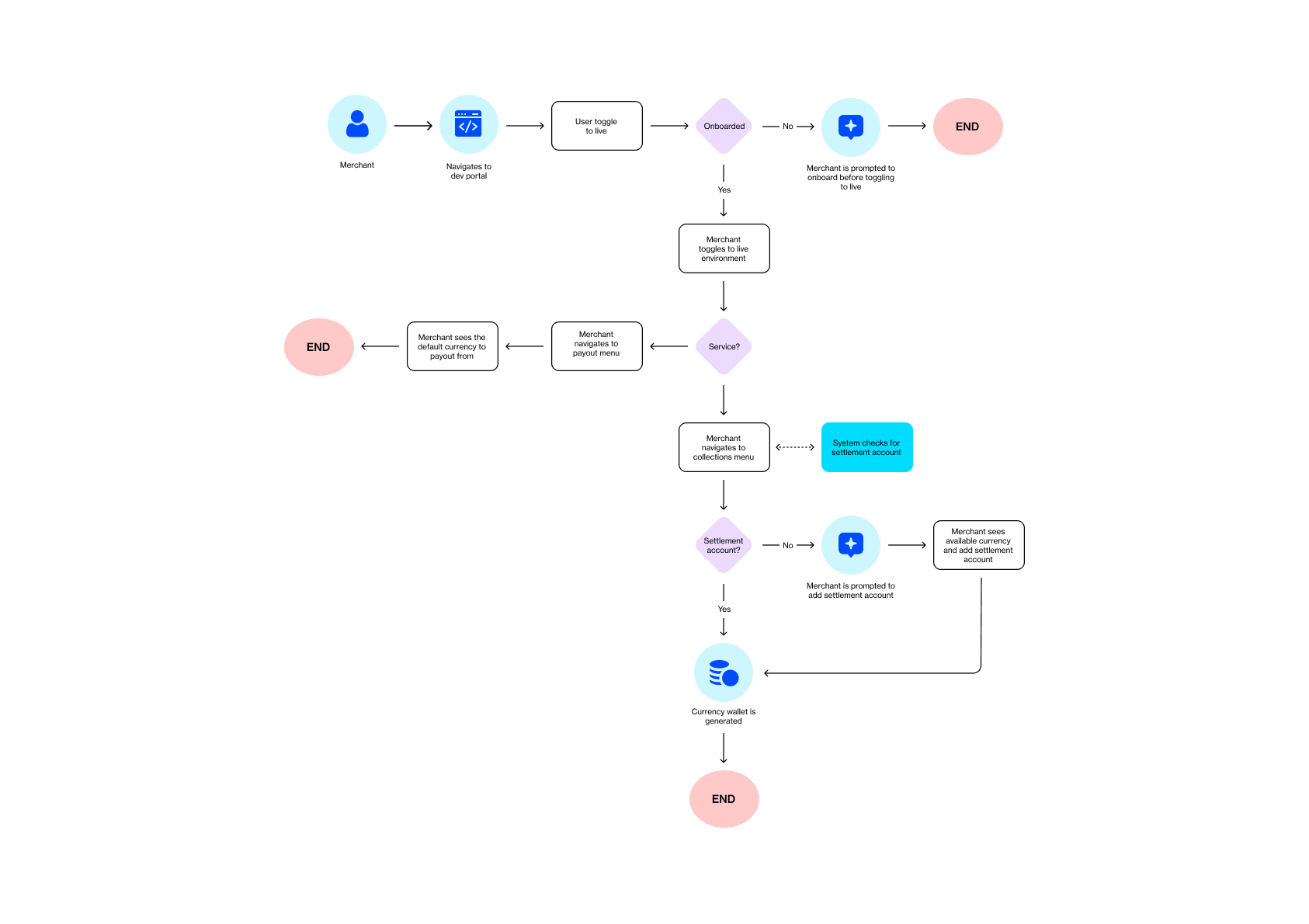
Obtaining Your API Keys
- Log in to your Leatherback Dashboard
- Navigate to Settings
- Click Service Settings
- Select the API Keys tab
Your public and secret keys are displayed here. Click the eye icon to reveal each key.
Resetting API Keys
If your API keys have been compromised, click Reset all Keys under the API Keys tab on the Service Settings page. This invalidates your existing keys and generates new ones immediately.
Authentication
All API requests must be made over HTTPS. Calls made over plain HTTP will fail. Requests without authentication will also fail.
Base URL:
We use one URL for both live and test environments. The only difference will be your API keys (Test or Live).
BaseURL: https://laas.leatherback.co
How to use the API:
Headers:
| Key | Value |
|---|---|
X-Api | Your secret key (sk_test_****** or sk_live_******) |
Example request:
curl https://laas.leatherback.co/api/payment/payment-link \
  -H "X-Api: sk_test_0f1h622b2h06b9h9e97h6h91a17he4673d55g35"
HTTP Methods
The API uses GET, POST, and PUT methods depending on the endpoint. Refer to each endpoint's documentation for the required method.
API Essentials
Updated 3 days ago