

How to Add a Settlement Account
Need to receive your payouts? This guide walks you through the quick process of linking a settlement account to your Leatherback dashboard.
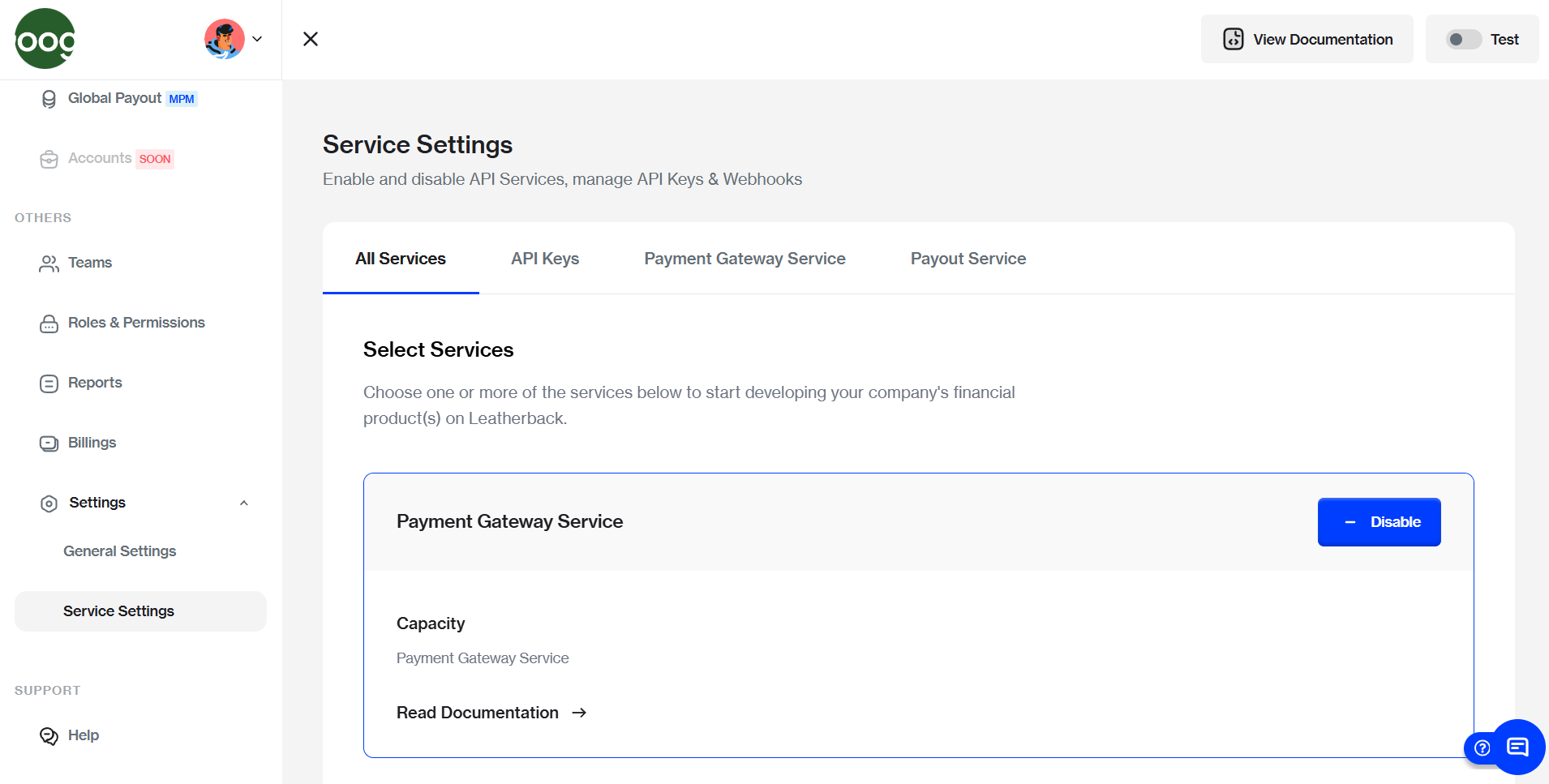
- Navigate to Service Settings
From the left-hand navigation menu on the Fusion dashboard, click on Settings drop down and select Service Settings
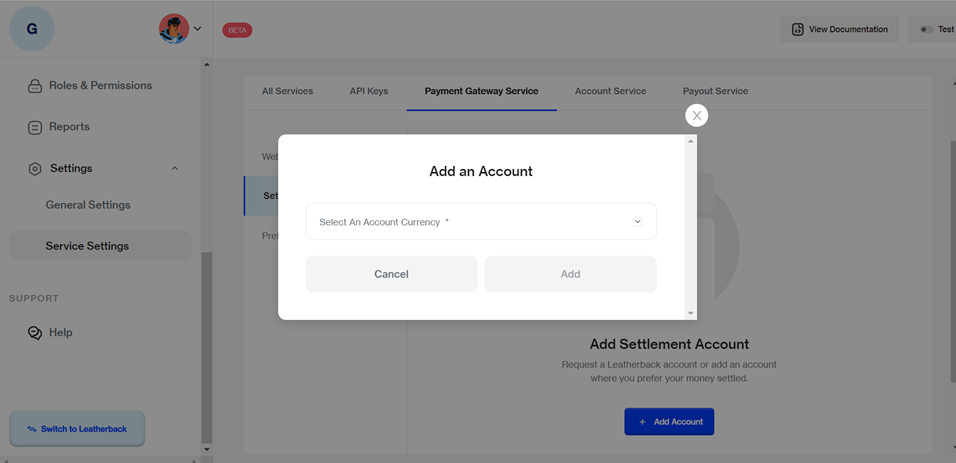
- Initiate Add Account
Locate and select the Payment Gateway Service tab from the settings menu, then C#click the Add Account button
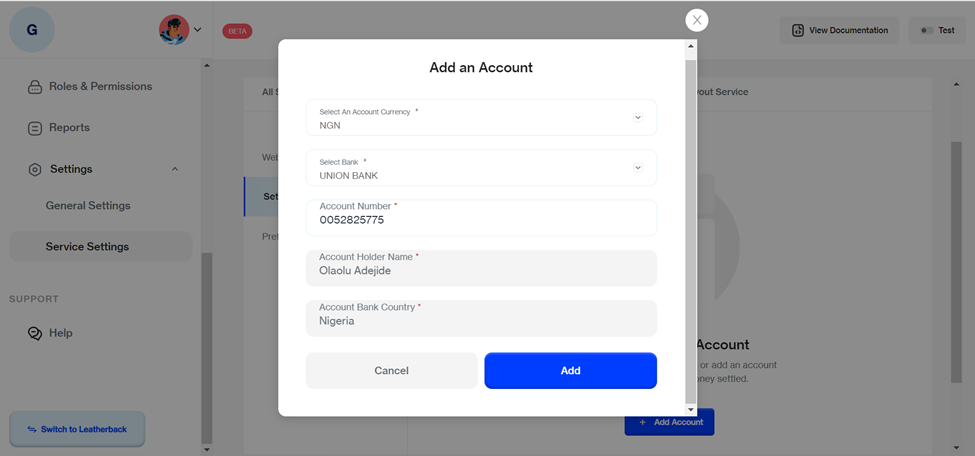
- Provide Account Details
Select your preferred Account Currency from the dropdown menu and fill in the required banking information (Account Number, Bank Name, etc.).
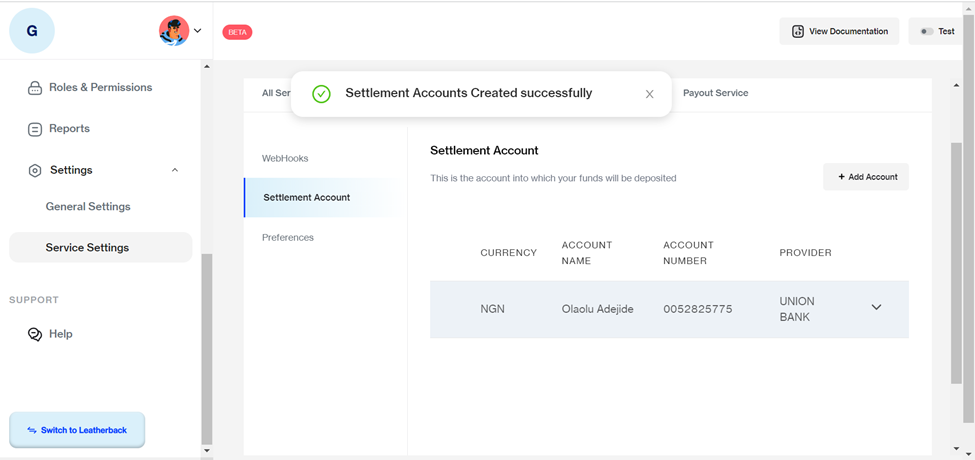
- Save and Confirm
Review the details and click the Add button to save the account.
Updated 7 months ago
Did this page help you?